
TL;DR

Get kitchen staples and gadgets delivered free with Prime
- Fast, free delivery on millions of items
- Prime Video, Amazon Music and more included
- Member-only deals all year
In 2026, building your own AI workstation is no longer automatically cheaper. Prebuilts often offer faster setup, validated thermals, and support, while custom builds provide flexibility and upgradeability. Your choice depends on your budget, technical comfort, and performance needs.
If you’ve ever wondered whether you should assemble your own AI powerhouse or just buy a ready-made system, you’re not alone. The landscape shifted dramatically in 2026. Now, the question isn’t just about saving a few bucks—it’s about balancing speed, support, and control.
With AI workloads demanding serious hardware, the right choice can make or break your project. You’ll learn how current market conditions, thermal tuning, and support options influence whether you should build or buy. This isn’t about old rules; it’s about making a smart choice today.
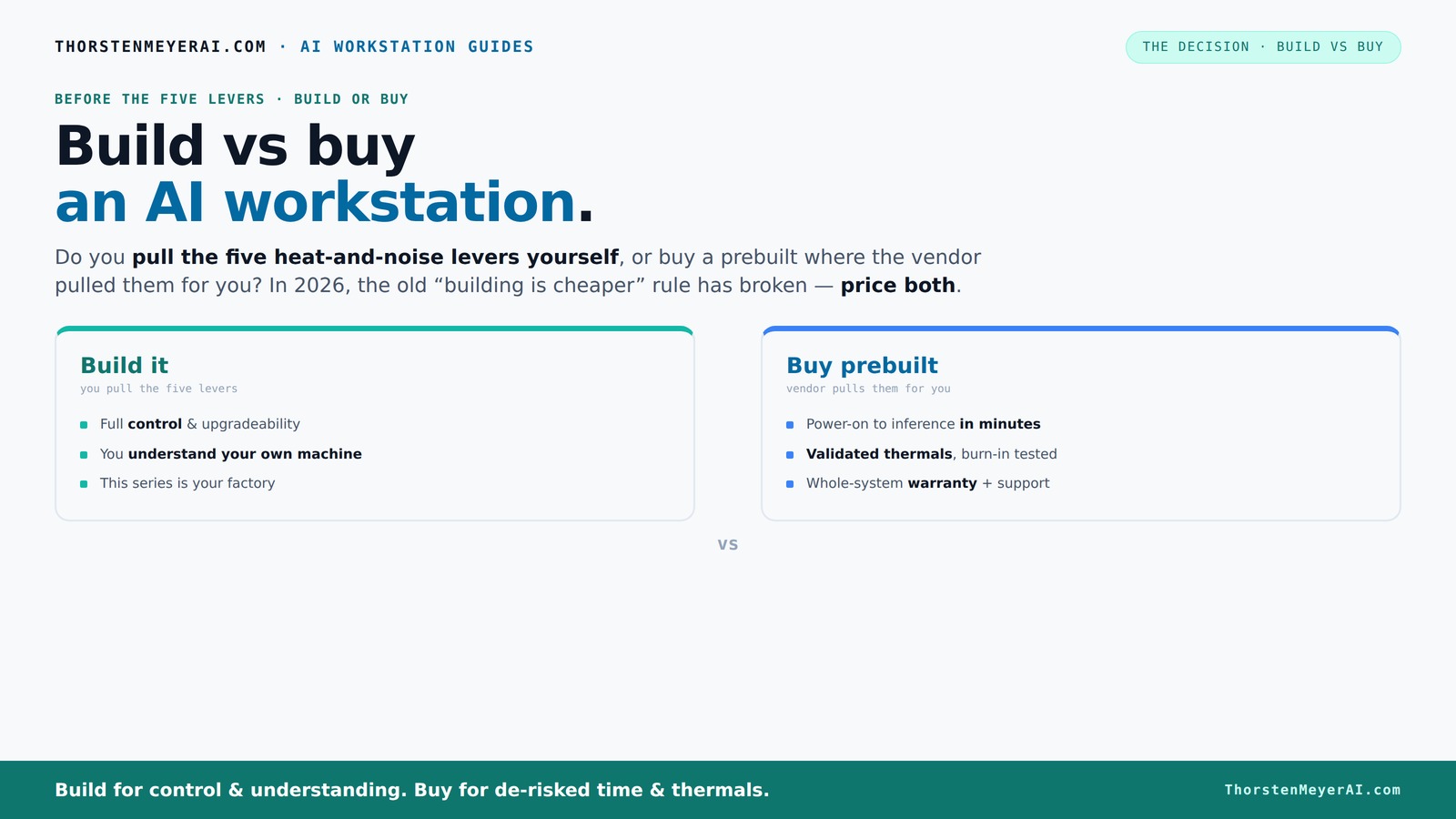
Build vs buy
an AI workstation.
The real question behind this whole series: do you pull the five heat-and-noise levers yourself, or buy a prebuilt where the vendor pulled them for you? And in 2026, the old “building is cheaper” rule has broken. Match your situation in Part 3.
Key Takeaways
- In 2026, component shortages and bulk buying have made prebuilt AI workstations sometimes cheaper than DIY, breaking the old cost rule.
- Prebuilts offer validated thermals, support, and quick deployment—ideal for professionals on tight schedules.
- Building your own rig provides unmatched flexibility, upgrade paths, and a deeper understanding of your hardware, perfect for hobbyists and long-term thinkers.
- Always price your specific configuration in 2026—what’s cheaper today might not be tomorrow.
- Support and warranties can save you days of downtime—consider these as part of the total system value.
As an affiliate, we earn on qualifying purchases.
What a prebuilt AI workstation actually is—and why it might surprise you
A prebuilt AI workstation comes fully assembled, tested, and ready to run. Think of it as buying a car with the engine tuned, fluids topped off, and a warranty in your hand. Major vendors like BIZON or Lambda validate thermals, test the system under load, and often include water-cooling for quieter operation.
For example, a prebuilt with two RTX 4090s, 128GB of RAM, and enterprise-grade cooling can be shipped to your door, ready to tackle complex models. The rich, dark aroma of new hardware, combined with the sound of quiet fans, makes it feel like stepping into a professional lab—without the hours of assembly.
When buying a prebuilt makes sense — faster, safer, and supported
If your priority is getting started quickly, a prebuilt is often the smarter move. For instance, if you need a system ready for training large models in days, not weeks, vendors validate everything beforehand. They run 24-48 hours of stress testing, ensuring your system won’t throttle or overheat during critical tasks.
Support is another big plus. When a component fails or you hit a driver glitch, you have a single vendor to call—no hunting down individual parts or troubleshooting BIOS issues. Plus, warranty coverage often extends to the whole system, giving you peace of mind.
For example, a researcher needing to run multi-GPU inference on a tight schedule might lean heavily on support and validation, making a prebuilt a no-brainer.
When building your own AI workstation makes sense—flexibility, control, and learning
Building your own system offers unmatched customization. If you enjoy tinkering or need a setup tailored precisely to your workload, DIY is still king. You choose every part—GPU, CPU, cooler, case—and tune each for quiet operation.
For example, you might undervolt a GPU like the RTX 4090 to cut noise and power draw, or pick a case with perfect airflow from this guide. With control comes the ability to upgrade later—adding another GPU, swapping out storage, or tweaking cooling—something prebuilt often limits.
Beyond the hardware advantages, building your own system deepens your understanding of how AI hardware works. This knowledge allows you to troubleshoot issues faster, optimize performance more precisely, and adapt your machine as new technologies emerge. While it requires effort and a learning curve, this investment pays off in long-term flexibility and resilience.
Breaking down cost: is building cheaper than buying today?
| Factor | Build | Buy (Prebuilt) |
|---|---|---|
| Component prices (2026) | Rising sharply due to shortages; a build with high-end GPUs now often exceeds $1,250 | Bulk buying and validation allow some prebuilts to match or beat DIY prices |
| Time investment | Several hours to weeks, depending on your experience and parts sourcing | Minutes to hours, with no assembly required |
| Support & warranty | Limited; depends on individual parts and DIY troubleshooting skills | Comprehensive; single vendor handles everything, often with multi-year warranties |
| Upgradeability | Very flexible—add GPUs, swap parts, tune cooling | Limited by case and design; upgrades possible but often more costly |
| Hidden costs | Time, potential compatibility issues, troubleshooting | Support, validation, shipping, and potential markup |
Recent data shows prebuilts can sometimes match or undercut DIY costs, especially when considering the value of time and support. Price your specific configuration carefully for 2026, as the landscape continues to evolve. The key is understanding that the true cost includes not just parts but also the value of your time, the risk of compatibility issues, and the reliability of support services. Sometimes, paying a bit more upfront for a validated system can save you days or weeks of troubleshooting and downtime, which is critical in professional or time-sensitive environments.
Performance matters: GPU, VRAM, thermals, and how they stack up
Performance for AI depends heavily on your GPU’s VRAM, cooling, and power delivery. A prebuilt often comes with optimized thermal solutions that prevent throttling, even under heavy multi-GPU loads. DIY, however, allows you to select the quietest GPU like the quiet GPUs guide and undervolt for efficiency.
For example, a custom build might include a 2x RTX 4090 setup, cooled with water, tuned to run silently at full load. Prebuilts like Lambda's systems are factory-tested to run at peak efficiency, maintaining stable performance during intense training or inference.
Understanding the thermal and power characteristics of your components is vital because inadequate cooling or power delivery can cause throttling, which reduces performance and increases training times. Proper thermal validation ensures that your system maintains consistent speeds under load, which directly impacts the efficiency and cost-effectiveness of your AI workflows. The tradeoff lies in balancing noise, cooling, and power consumption—often, a well-validated prebuilt simplifies this complex optimization.
Support, warranty, and how they impact your uptime
When your AI system is down, every minute counts. Prebuilt vendors typically offer robust support plans—up to 5 years in some cases—covering hardware failures, troubleshooting, and even remote diagnostics. This reduces downtime risk significantly, especially during critical training or inference runs. Having dedicated support means you can quickly resolve issues that might otherwise take days to troubleshoot, minimizing costly delays.
DIY builds mean you’re on your own or rely on scattered manufacturer warranties. If a GPU fails mid-training, you might wait weeks for a replacement or spend hours troubleshooting compatibility issues. This can be catastrophic if deadlines are tight. For example, Lambda’s systems are tested for 48 hours before shipping, which helps identify potential issues early, but ongoing support is still essential for maintaining uptime.
Think of support as an insurance policy—costly upfront but potentially saving you days, weeks, or even months of frustration and lost productivity. In professional environments where uptime is critical, investing in comprehensive support can be the difference between project success and costly delays.
Upgrades and future-proofing: what’s possible with each approach?
Custom builds shine when it comes to future upgrades. You can pick a chassis with extra space, install additional GPUs, or swap in faster storage as technology advances. This flexibility can extend your system’s lifespan and adapt to evolving project needs. For example, starting with a single GPU and later adding another or upgrading to faster NVMe SSDs can keep your system competitive without replacing the entire rig.
Prebuilts, while easier, often lock you into a specific design or configuration. Upgrading may require replacing entire components or even the whole system, which can be costly and less flexible. However, some vendors now design systems with modularity in mind, allowing easier upgrades—though usually at a premium. The key is to consider your long-term needs: if you expect rapid growth or technological change, a DIY approach provides the best long-term value. Conversely, if stability and simplicity are priorities, a prebuilt with upgrade options can serve well for several years, provided the vendor supports future expansions.
Decision checklist: should you build or buy?
- Do you need a system immediately or can you wait for custom assembly?
- Are you comfortable troubleshooting hardware and software issues?
- Is your main goal to save money, or do you prioritize support and reliability?
- Will your workload grow, requiring future upgrades?
- Do you enjoy the learning process or prefer a plug-and-play experience?
If you answered "immediate and support" to most, a prebuilt makes sense. If you cherish customization, tinkering, and incremental upgrades, building is better.
Frequently Asked Questions
Is it cheaper to build or buy a prebuilt AI workstation?
It depends on current component prices, your workload, and how much time you’re willing to invest. Recent trends show prebuilts can sometimes match or beat DIY costs, especially when considering support and time saved. Always price your specific setup for 2026 before deciding.How many GPUs do I actually need for my AI workload?
It varies. For training large models like GPT-3-sized architectures, 4-8 GPUs with ample VRAM are common. For inference or fine-tuning smaller models, 1-2 GPUs might suffice. Your choice depends on workload size, model complexity, and budget.What matters more for AI: GPU VRAM, CPU, RAM, or storage?
GPU VRAM is critical for large models; however, CPU and RAM influence data handling and preprocessing. Storage speed impacts dataset loading. Balance all components based on your specific tasks to avoid bottlenecks.Can I upgrade a prebuilt later, especially add another GPU?
Some prebuilts allow upgrades, but many limit expansion due to chassis size and power supply. Check with the vendor about upgrade options before purchasing if future growth matters most.How much power and cooling does an AI workstation need?
High-performance multi-GPU systems can draw over 1,000W, generating significant heat. Proper cooling—water or high-efficiency air—and a robust power supply are essential to keep everything stable and quiet.Conclusion
Choosing between building and buying your AI workstation isn’t about old rules anymore. It’s about matching your workload, patience, and budget to the right approach. In 2026, smart decision-making means weighing support, cost, and future growth—because your AI projects deserve the best.
Remember, whether you build or buy, your hardware is just the foundation. The real power lies in how you tune, support, and grow it. Make your choice count—and get ready to push your AI to the next level.
Evergreen bestsellers Picks
bestsellers
As an affiliate, we earn on qualifying purchases.