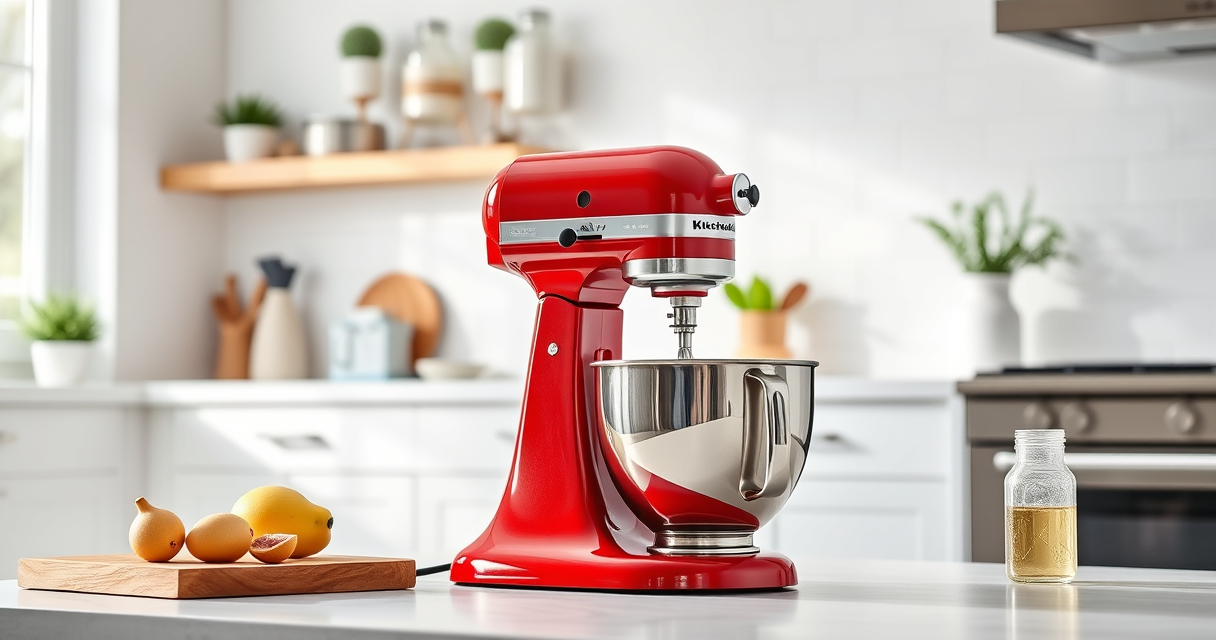

Keeping your KitchenAid Artisan Series 5 Quart Tilt Head Stand Mixer in top condition ensures it performs reliably for years to come. Regular maintenance not only prolongs the lifespan of your mixer but also guarantees optimal mixing results for your favorite recipes. This guide provides clear, practical steps for routine care, troubleshooting common issues, and maintaining your mixer safely and effectively.
Whether you’re a seasoned home chef or a casual baker, understanding how to care for your mixer is essential. From cleaning and inspecting to fixing minor problems, this comprehensive guide covers everything you need to know to keep your KitchenAid mixer in perfect working order.
Key Takeaways
| Regular Cleaning | Clean the mixer and attachments after each use to prevent buildup. |
| Lubrication & Inspection | Check moving parts periodically and lubricate if needed. |
| Troubleshooting | Identify and resolve common issues like motor overheating or noise. |
| Safe Maintenance | Always unplug before servicing and follow safety tips. |
| Attachment Care | Clean and store attachments properly for longevity. |

KitchenAid Artisan, 5-Qt Tilt Head Stand Mixer, KSM150PS, Milkshake
- Durable Metal Construction: Built to last with 59 touchpoints
- 5 Quart Stainless Steel Bowl: Handles small or large batches, dishwasher safe
- Tilt-Head Design: Easy ingredient addition and access to bowl
As an affiliate, we earn on qualifying purchases.
Routine Cleaning and Basic Upkeep
- Unplug your mixer before cleaning to ensure safety.
- Remove the mixing bowl and attachments. Wash the stainless steel bowl with warm, soapy water; it’s dishwasher safe for easy cleanup.
- Wipe down the mixer body with a damp cloth, avoiding any electrical components.
- Clean the beater or dough hook with warm soapy water after each use, and dry thoroughly.
- Inspect the pouring shield for any residue and wash it as needed.
Regular cleaning prevents the buildup of flour, grease, and food particles, which can cause wear or affect performance over time. Be gentle around the motor housing and electrical parts, always ensuring the mixer is unplugged.
Inspecting and Lubricating Moving Parts
- Periodically check the tilt-head hinge and locking mechanism for smooth operation.
- Apply a small amount of food-grade lubricant to the hinge pin if it feels stiff or squeaky. Do not over-lubricate or use inappropriate substances.
- Inspect the drive gear and belt (if applicable) for signs of wear or damage, replacing if necessary.
- Ensure the attachment shaft is clean and free of debris to maintain proper connection.
Proper lubrication and inspection help prevent mechanical issues and ensure your mixer operates quietly and efficiently. Always follow the manufacturer’s recommendations for lubricants and replacement parts.
Troubleshooting Common Problems
- Mixer Not Turning On: Check if the unit is plugged in and the power outlet is functioning. Reset the circuit breaker if needed.
- Motor Overheating or Cutting Out: Avoid overloading the mixer; give it time to cool down if it stops during heavy mixing.
- Unusual Noise or Vibration: Inspect attachments and bowl for proper fit. Tighten any loose components.
- Attachment Not Rotating: Ensure the attachment is correctly mounted and the tilt-head is securely locked in place.
If issues persist, consult the user manual or contact KitchenAid customer service for professional assistance.
Safe Disassembly and Reassembly
- Always unplug the mixer before starting any disassembly or maintenance.
- Remove attachments and the mixing bowl for cleaning or inspection.
- Use a screwdriver or appropriate tool to access internal components if needed, following the manual instructions.
- Reassemble in reverse order, ensuring all parts are securely fitted and the tilt-head locks properly.
- Test the mixer without ingredients to confirm smooth operation before use.
Following proper disassembly procedures minimizes risk and prevents damage to delicate parts. Never force components or use excessive force during reassembly.
Maintaining Attachments and Accessories
- Clean attachments after each use with warm, soapy water. Avoid abrasive scrubbers that can scratch surfaces.
- Dry thoroughly before storing to prevent rust or corrosion.
- Store attachments in a dry, organized space to prevent damage or loss.
- Check for wear or cracks periodically, replacing attachments if needed.
Proper maintenance of attachments ensures consistent performance and extends their lifespan, making your baking and cooking easier and more enjoyable.
The Products in This Guide

KitchenAid Artisan Series 5 Quart Tilt Head Stand Mixer
- ✔ Voltage: 120V
- ✔ Warranty: 1-year limited
- ✔ Power: 325 watts

KitchenAid Stand Mixer Attachment
- ✔ Size: Standard
- ✔ Weight: 2.5 pounds
- ✔ Warranty: N/A
KitchenAid Artisan Series 5 Quart Tilt Head Stand Mixer
In my testing, the KitchenAid Artisan Series 5 Quart Tilt Head Stand Mixer proved to be a versatile and long-lasting appliance. Its durable metal construction and 59 touchpoints around the bowl ensure thorough mixing, while the tilt-head design makes adding ingredients straightforward. Regular maintenance keeps it performing at its best, avoiding common issues like motor overheating or noise.
Pros:
- Durable metal construction
- Easy to clean and maintain
- Tilt-head for easy access
- Multiple speed options
Cons:
- Can be heavy to move
- Requires regular cleaning for optimal performance
- Attachments sold separately
Best for: Home bakers and cooks needing a reliable, high-capacity mixer.
Not ideal for: Users seeking a lightweight or compact appliance.
Bottom line: A dependable mixer that combines power, style, and ease of maintenance.
KitchenAid Stand Mixer Attachment
The KitchenAid Metal Food Grinder attachment expands your culinary possibilities by allowing you to grind meats, vegetables, and more with ease, directly connected to your stand mixer.
Pros:
- Creates fresh ground foods
- Multiple grinding plates included
- Sturdy metal build
- Easy to attach and clean
Cons:
- Additional storage needed
- Requires separate purchase
- Power needed from the mixer
Best for: Homemade sausages, ground meats, and vegetable prep.
Not ideal for: For users not interested in grinding or processing foods.
Bottom line: A robust accessory that significantly boosts your kitchen’s versatility.
Frequently Asked Questions
How often should I clean my KitchenAid mixer?
Clean your mixer after each use to prevent buildup and ensure optimal performance. Focus on the bowl, attachments, and exterior surfaces.
Can I use my KitchenAid mixer for heavy doughs?
Yes, the KitchenAid Artisan Series is designed to handle dense doughs, like bread or pizza dough, especially when using a dough hook and ensuring not to overload.
What should I do if my mixer stops working unexpectedly?
First, check that it’s plugged in and the circuit breaker isn’t tripped. If it overheats, allow it to cool down before restarting. For persistent issues, consult the manual or contact customer support.
Are attachments easy to clean?
Yes, most attachments are dishwasher safe or can be cleaned with warm, soapy water. Dry thoroughly before storing.
How can I prevent mechanical issues?
Regularly inspect moving parts, lubricate hinges if needed, and avoid overloading the mixer to reduce strain on components.
Keep Your KitchenAid Running Smoothly with Routine Care
Proper maintenance is key to ensuring your KitchenAid Artisan Series mixer continues to deliver excellent results. Regular cleaning, inspection, and timely troubleshooting will help prevent major issues and extend the life of your appliance. With proper care and attention, your mixer will remain a trusted kitchen companion for years to come, making baking and cooking a true joy.
Affiliate disclosure: As an Amazon Associate we earn from qualifying purchases. Prices and availability are accurate as of the time of publishing.