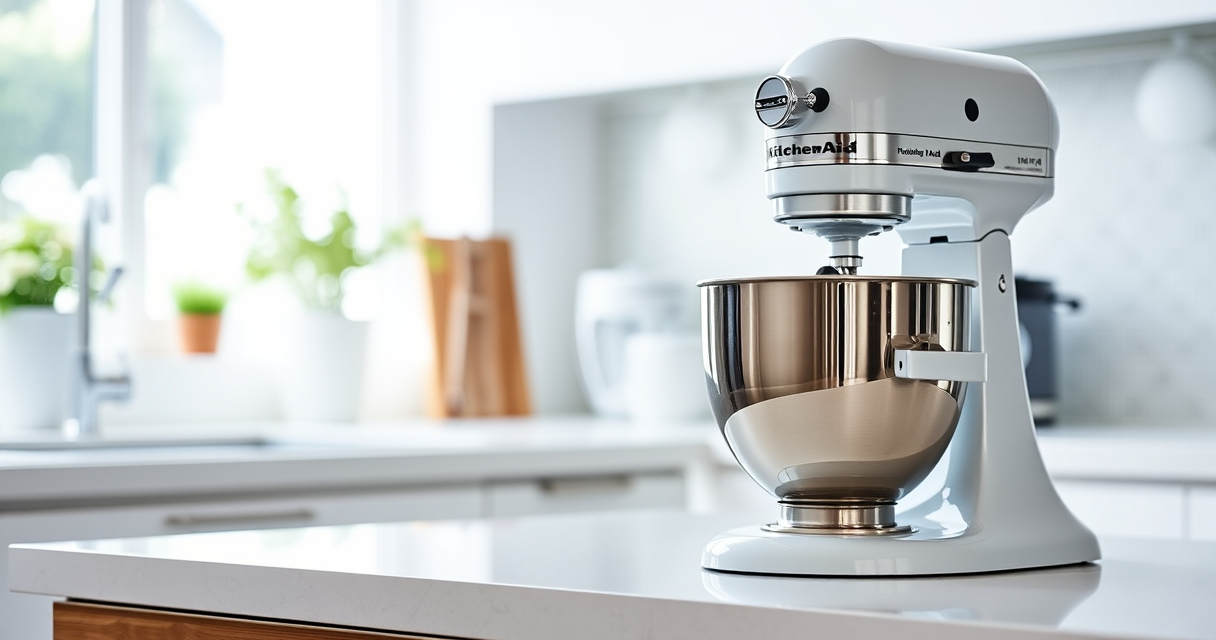

If your KitchenAid Artisan Series 5 Quart Tilt Head Stand Mixer isn’t tilting back as it should, it can hinder your baking and mixing tasks. This guide walks you through common causes and simple solutions to get your mixer functioning smoothly again, safely and effectively.
Whether the tilt mechanism is stuck, jammed, or not responding, understanding the possible issues and following proper troubleshooting steps can save you time, money, and frustration. Let’s explore what might be causing the problem and how to fix it.
Key Takeaways
| Check for Obstructions | Debris or food buildup can block the tilt mechanism. |
| Inspect the Tilt Head Lock | Ensure the head lock lever is fully released. |
| Examine the Pivot Point | Worn or damaged pivot parts can prevent tilting. |
| Lubricate if Needed | Applying food-safe lubricant can ease movement. |
| Safety First | Always unplug before inspecting or fixing your mixer. |

KitchenAid Artisan, 5-Qt Tilt Head Stand Mixer, KSM150PS, Milkshake
- Durable Metal Construction: Built to last with 59 touchpoints
- 5 Quart Stainless Steel Bowl: Handles small or large batches, dishwasher safe
- Tilt-Head Design: Easy ingredient addition and access to bowl
As an affiliate, we earn on qualifying purchases.
Identify Common Causes for the Tilt Mechanism Failing
Before attempting repairs, it’s essential to identify why your KitchenAid stand mixer won’t tilt back. Common causes include debris buildup, a stuck lock lever, worn or damaged pivot points, or lack of lubrication. Over time, food particles, flour, or grease can accumulate around the tilt mechanism, causing it to jam. Additionally, the tilt lock lever might be partially engaged or broken, preventing the head from moving freely. Worn or damaged pivot pins or springs inside the hinge assembly can also hinder tilting. Recognizing these issues helps determine the appropriate fix and ensures you don’t cause further damage during troubleshooting.
Step-by-Step Fix for a Stuck or Non-tilting Mixer
- Unplug your mixer: Always disconnect the power supply before inspecting or fixing your appliance.
- Clean around the tilt head: Remove the pouring shield and wipe away any flour, dough, or debris that may obstruct movement. Use a soft brush or cloth to clear debris from the hinge and pivot points.
- Check the tilt lock lever: Ensure the lever is fully disengaged. Sometimes, dirt or sticky residues prevent it from releasing properly. If sticky, gently clean and lubricate it with a food-safe lubricant, such as a silicone spray.
- Inspect the pivot area: Look for signs of wear, damage, or bent parts. If you notice broken or worn components, replacing the hinge or contacting a professional may be necessary.
- Lubricate the hinge: Apply a tiny amount of food-safe lubricant to the pivot points. Move the head back and forth to distribute the lubricant evenly. Do not over-lubricate, as excess can attract debris.
- Test the tilt function: Reconnect the mixer, turn it on, and gently try to tilt the head back. If it moves smoothly, you’ve resolved the issue. If not, further inspection or professional repair may be needed.
Additional Tips for Maintaining Your Mixer
- Regular cleaning: Wipe down the hinge and pivot areas after each use to prevent buildup.
- Proper lubrication: Lubricate the tilt mechanism periodically, especially if you notice resistance.
- Avoid forcing the tilt: Never force the head open, as this can cause damage to the hinge or lock mechanism.
- Inspect parts annually: Check for signs of wear or damage to the hinge, lock lever, and pivot pins, replacing parts as necessary.
When to Seek Professional Repair
If you’ve followed all troubleshooting steps and your KitchenAid stand mixer still won’t tilt back, it’s time to consult a professional. Persistent mechanical issues might involve internal components such as springs or hinge pins that require specialized tools or parts to repair. Contact an authorized service center or a qualified appliance repair technician to diagnose and fix the problem safely.
The Products in This Guide

KitchenAid Artisan Series 5 Quart Tilt Head Stand Mixer
- ✔ Weight: 26 pounds
- ✔ Dimensions: 14 x 8.7 x 14 inches
- ✔ Warranty: 1-year limited

KitchenAid Stand Mixer Attachment
- ✔ Dimensions: 7 x 4 x 4 inches
- ✔ Warranty: N/A
- ✔ Compatibility: KitchenAid models
KitchenAid Artisan Series 5 Quart Tilt Head Stand Mixer
The KitchenAid Artisan Series 5 Quart Tilt Head Stand Mixer is known for its sturdy metal construction, 59 touchpoints for thorough mixing, and versatile features including 10 speeds and a dishwasher-safe stainless steel bowl. Its tilt-head design allows easy access to ingredients, but like any mechanical device, it can face issues like tilting failure which are common but fixable.
Pros:
- Sturdy metal build for durability
- Easy tilt-head access
- Multiple color options
- Powerful 10-speed motor
Cons:
- Can jam if debris accumulates
- Tilt head may require maintenance
- Lock lever can stick
Best for: Home bakers and culinary enthusiasts needing a reliable, stylish mixer.
Not ideal for: Heavy-duty commercial use or frequent professional baking.
Bottom line: A durable, versatile mixer that can be maintained easily with proper care.
KitchenAid Stand Mixer Attachment
This KitchenAid Metal Food Grinder Attachment expands your mixer’s capabilities, allowing you to grind meats, vegetables, and nuts with ease. It connects directly to the power hub and comes with various plates and sausage stuffer tubes, making it a valuable addition for home cooks looking to create fresh, customized foods.
Pros:
- Enhances mixer functionality
- Multiple grinding plates
- Includes sausage stuffer tubes
- Easy to clean and store
Cons:
- Requires separate purchase
- May need pre-chilling for best results
- Attachment may be heavy to handle
Best for: Homemade sausages, ground meats, and fresh ingredients preparation.
Not ideal for: Light baking tasks or minimal use.
Bottom line: A powerful attachment that broadens your KitchenAid mixer’s culinary capabilities.
Frequently Asked Questions
Why won’t my KitchenAid tilt head move?
Common reasons include debris buildup, a stuck lock lever, or worn hinge parts. Cleaning, inspecting, and lubricating the hinge can often resolve the issue.
Is it safe to lubricate the hinge?
Yes, but only use food-safe lubricants like silicone spray. Avoid using household oils that are not intended for kitchen appliances.
My mixer is making strange noises when tilting.
Unusual sounds may indicate worn or damaged parts. Inspect the hinge and pivot points, and consider professional repair if needed.
Can I fix the tilt mechanism myself?
Yes, with proper cleaning, inspection, and lubrication, many users can fix minor issues. For damaged or worn parts, professional repair is recommended.
How often should I lubricate the tilt head?
Periodically, especially if you notice resistance or stiffness. Regular maintenance helps ensure smooth operation and extends the life of your mixer.
Keep Your KitchenAid Mixer Running Smoothly
Maintaining your KitchenAid Artisan stand mixer ensures it continues to perform at its best. Regular cleaning, inspection, and proper lubrication of the tilt mechanism can prevent many common issues. If your mixer won’t tilt back despite troubleshooting, professional repair may be necessary. With proper care, your mixer will serve you reliably for years to come, making every baking session a pleasure.
Affiliate disclosure: As an Amazon Associate we earn from qualifying purchases. Prices and availability are accurate as of the time of publishing.