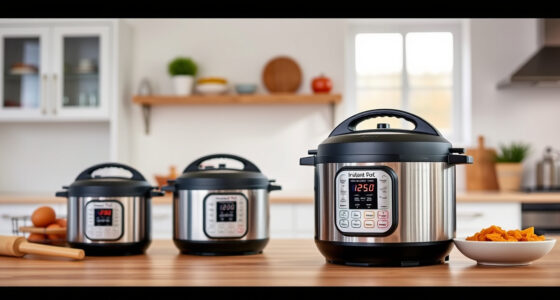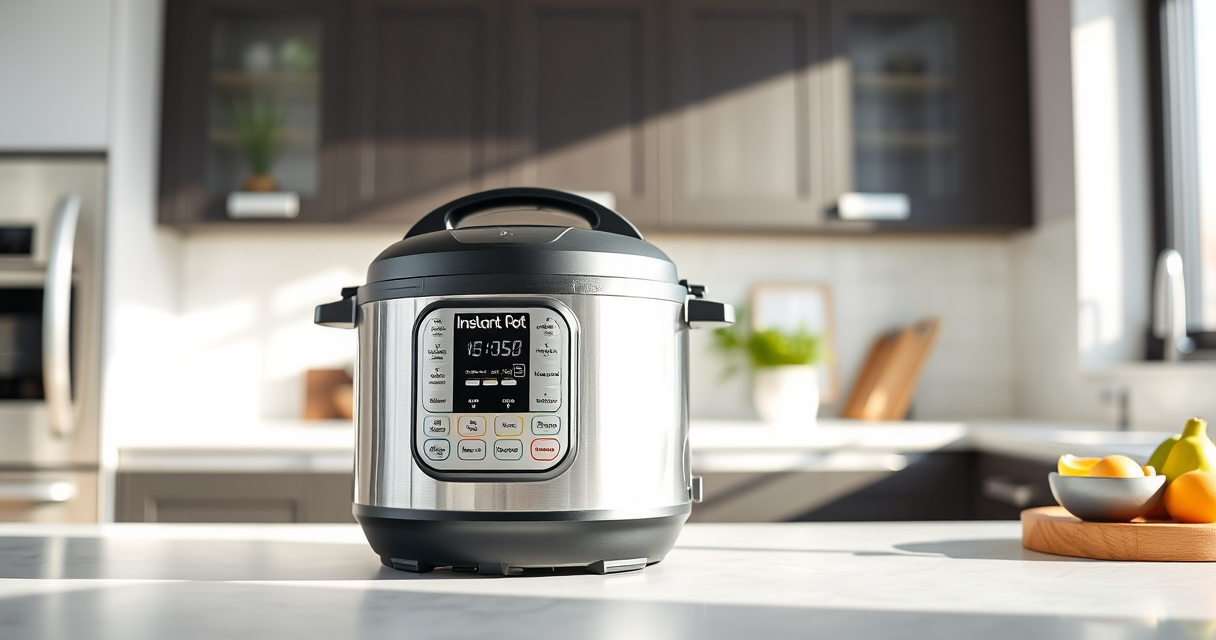

If your Instant Pot 4QT RIO Mini 7-in-1 Multi-Cooker keeps showing a burn error, it can be frustrating and interrupt your meal prep. This error usually occurs when the appliance detects that food or liquid is burning or sticking at the bottom, often caused by overheating or insufficient liquid.
Fortunately, most burn errors can be fixed with some simple troubleshooting steps. This guide provides clear, safe instructions to help you resolve the issue and get your Instant Pot working smoothly again.
Key Takeaways
| Check Liquid Levels | Ensure enough liquid is in the pot to prevent burning. |
| Stir and Scrape | Scrape the bottom to loosen stuck food before restarting. |
| Avoid Thick Sauces | Thick or starchy sauces are more likely to trigger burn errors. |
| Use a Trivet or Steamer Basket | Elevate ingredients to prevent direct contact with the bottom. |
| Inspect the Sealing Ring | Make sure the sealing ring is properly seated and in good condition. |

Instant Pot 4QT RIO Mini 7-in-1 Multi-Cooker, Pressure Cooker, Slow cook, Sauté, Steam, Rice Maker, Yogurt, & Warmer, Black, 4 Quarts
7 Cooking Functions: Pressure cook, slow cook, sauté, steam, cook rice, make yogurt, or keep your meals warm,...
As an affiliate, we earn on qualifying purchases.
Step 1: Turn Off and Release Pressure
- Press the cancel or keep warm button to turn off the Instant Pot.
- Carefully release the pressure using the quick-release method or natural release, depending on your recipe.

AOZITA Steamer Basket for Instant Pot Accessories 6 qt or 8 quart - 2 Tier Stackable 18/8 Stainless Steel Mesh - Silicone Handle - Vegetable Steamer Insert, Egg Basket, Pasta Strainer,Silver
2-TIER STACKABLE BASKET – Make the best out of your instant pot with our steel mesh steamer pot...
As an affiliate, we earn on qualifying purchases.
Step 2: Open the Lid and Check the Food
Open the lid once the pressure has fully released. Look for any food stuck to the bottom of the inner pot that might be causing the burn error.
Step 3: Scrape and Clean the Inner Pot
- Use a non-abrasive spatula to gently scrape any stuck food from the bottom.
- Wash the inner pot thoroughly with warm, soapy water and dry completely.
Step 4: Add Adequate Liquid and Adjust Ingredients
Ensure there’s enough liquid in the pot—generally at least 1 cup for most recipes. Avoid thick, starchy sauces that can cause burning.
If using ingredients prone to sticking, consider placing a trivet or steamer basket inside to elevate them.
Step 5: Restart Cooking and Monitor
- Close the lid securely, ensuring the sealing ring is in place.
- Set the cooking program again and monitor the process.
- If the burn message appears again, stop and repeat the cleaning process.
The Products in This Guide

Instant Pot 4QT RIO Mini 7-in-1 Multi-Cooker
- ✔ Weight: 6 lbs
- ✔ Dimensions: 11.4 x 10.2 x 11 inches
- ✔ Warranty: 1-year limited

AOZITA Steamer Basket
- ✔ Weight: 1.2 lbs
- ✔ Dimensions: 9.8 x 6.2 x 3 inches
- ✔ Color: Silver
Instant Pot 4QT RIO Mini 7-in-1 Multi-Cooker
The Instant Pot 4QT RIO Mini is a compact, multi-functional device perfect for small households. Its anti-spin design and multiple cooking modes make it user-friendly and efficient.
Pros:
- 7-in-1 functionality
- Compact and easy to store
- Progress indicator for monitoring
- Multiple cooking options
Cons:
- Limited capacity for large meals
- Potential for burn errors if not used properly
- Requires careful cleaning of the bottom
Best for: Small families, singles, students needing quick, versatile cooking
Not ideal for: Cooking large quantities or complex recipes that require extensive stirring
Bottom line: A compact, versatile multi-cooker ideal for small kitchens and quick meals.
AOZITA Steamer Basket
The AOZITA Steamer Basket offers a two-tier design, maximizing your Instant Pot’s utility. Perfect for steaming vegetables, eggs, or even preparing multiple dishes simultaneously.
Pros:
- Two-tier design
- Stainless steel mesh
- Easy to clean
- Fits 6 and 8-quart models
Cons:
- Adds additional cleaning step
- May require more space inside the pot
- Not suitable for very large items
Best for: Steaming vegetables, eggs, or multi-dish cooking
Not ideal for: Cooking large amounts of meat or bulky ingredients
Bottom line: A versatile steamer basket that boosts your Instant Pot’s functionality.
Frequently Asked Questions
Why does my Instant Pot keep displaying a burn error?
Burn errors typically occur when there’s insufficient liquid, food sticks to the bottom, or the inner pot isn’t properly cleaned. Adjusting these factors can resolve the issue.
How can I prevent burn errors in the future?
Use enough liquid, avoid thick sauces that tend to stick, and scrape the bottom of the inner pot before cooking. Also, consider elevating ingredients with a steamer basket.
Is it safe to continue cooking if I get a burn message?
It’s best to turn off the appliance and troubleshoot the issue. Continuing to cook with a burn message can cause further problems or damage.
Can I use a different sealing ring to fix burn errors?
Using a fresh, properly seated sealing ring can help ensure correct pressure and prevent burn errors. Check that the ring is clean and in good condition.
Mastering Your Instant Pot for Better Cooking
With these troubleshooting steps, you can effectively resolve burn errors and keep your Instant Pot running smoothly. Proper maintenance, adequate liquid, and careful ingredient placement are key to enjoying hassle-free pressure cooking.
Remember, a little attention at each step ensures your appliance stays in top condition, helping you create delicious meals safely and efficiently.
Affiliate disclosure: As an Amazon Associate we earn from qualifying purchases. Prices and availability are accurate as of the time of publishing.